First listing guide
Your first Amazon listing does not need to be complicated. This guide explains the image types that matter, what each one is there to do, and how to plan a practical image set without getting lost in jargon or specifications. Whether you are launching a single product or starting a range, the goal is the same: help the buyer understand what they are getting and feel confident about buying it.
Creating your first Amazon listing can feel like a surprisingly big step. You have the product, you have the listing copy mostly figured out, and then you hit the images section and suddenly there are nine empty slots staring back at you, each one apparently more important than the last.
If you are anything like most first-time sellers, you have probably Googled something along the lines of "what images do I need for Amazon" and ended up in a maze of pixel dimensions, compliance checklists and acronyms that feel designed to make simple things complicated. We see it all the time.
The honest truth is that it does not need to be that confusing. You do not need to memorise every Amazon specification before getting started. You need a clear understanding of what each image is there to do, a sensible plan, and photography that actually helps the buyer say yes. That is what this guide covers.
Start with the main image
The hero image is the one that does the heavy lifting in search results. It is the first thing a buyer sees, and quite often the only thing they see before deciding whether to click or keep scrolling. No pressure.
Amazon requires the main image to have a pure white background, with the product filling at least 85 per cent of the frame. No text, no logos, no watermarks, no props. Just a clean, well-lit photograph of the product itself. The image should be at least 1000 pixels on the longest side, but 2000 pixels is better because it enables the zoom feature that most buyers actually use.
The rules are straightforward, but meeting them is not the same as getting a strong result. A technically correct hero image with flat lighting, an awkward angle or inaccurate colour will pass compliance but fail commercially. The hero needs to be clean, accurate, and confident. It should make the product look exactly as good as it actually is.

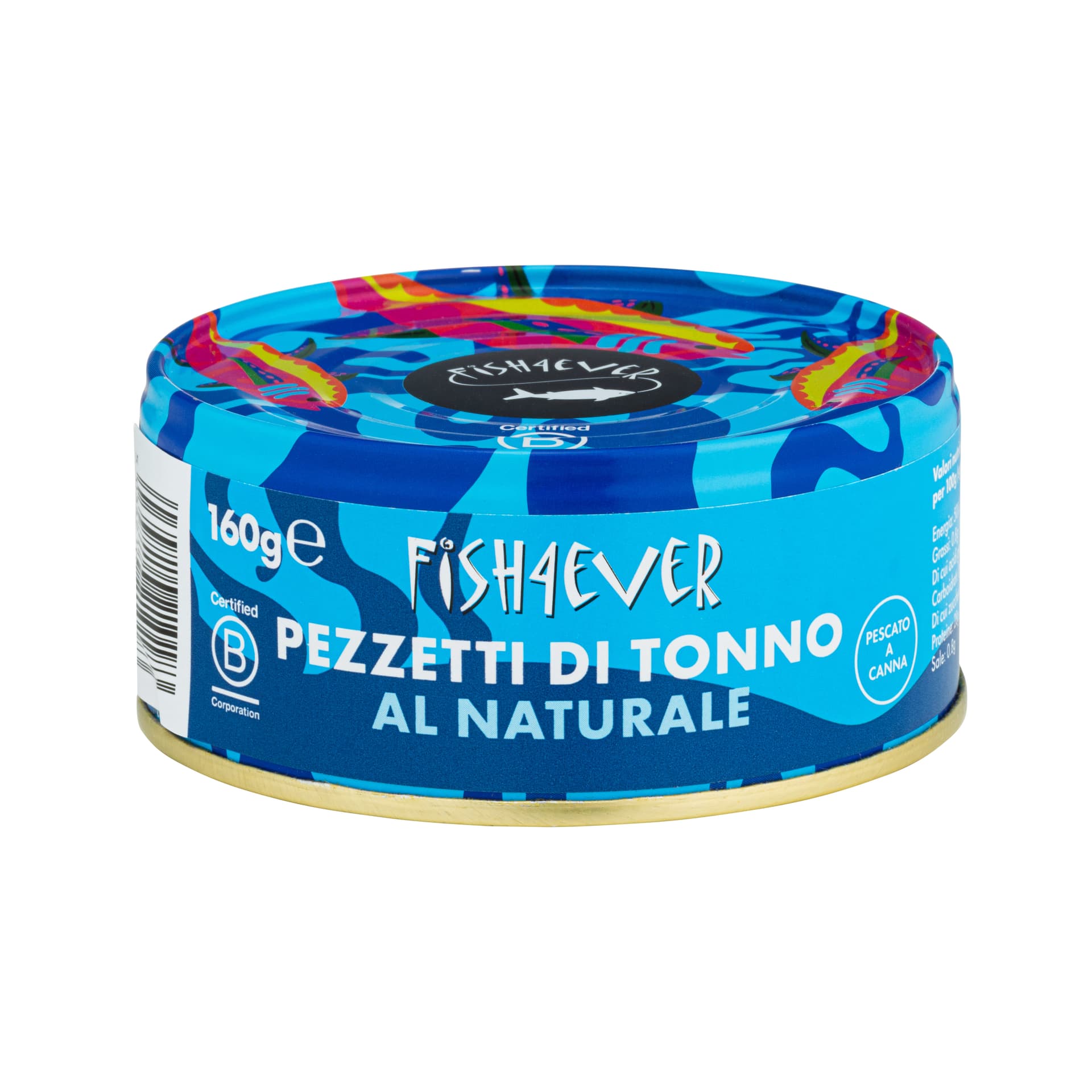
Hero image example
A clean, confident hero image shot in our studio. White background, sharp focus, accurate colour and the product filling the frame.
Why one image is rarely enough
Here is where a lot of first-time sellers get caught out. They put genuine effort into getting a great hero image, upload it, and then leave the remaining slots mostly empty. It is the Amazon equivalent of writing a brilliant headline and forgetting to write the article underneath it.
The hero image gets the click. But after that, the buyer is looking for reasons to feel confident. They want to see the product from different angles. They want to understand the details. They want to know how big it is, what is included, and how it looks in a real setting. Every question left unanswered is a reason for them to hesitate, and on Amazon, hesitation usually means they move on to the next listing.
Amazon gives you up to nine image slots. You do not necessarily need to fill all of them on day one, but the sellers who use more of those slots with clear, purposeful images tend to see stronger results. Listings with high-quality images consistently convert at two to three times the rate of those with weaker visuals. That is not a small difference.
The five image types to think about for your first listing
Not every product needs all nine slots filled with different types of imagery, but most products benefit from a thoughtful mix. Here are the five image types worth considering for your first Amazon listing, and what each one is there to do.
Hero image
Your main product photo on white. Clean, sharp and well-lit, with the product at its most recognisable angle. This is what gets the click from search results, so it needs to be strong.
Additional product angles
Back, side and three-quarter views that give the buyer a fuller picture of the product shape, design and size. These help bridge the gap between what a buyer can see online and what they would see in a shop.
Close-up detail shots
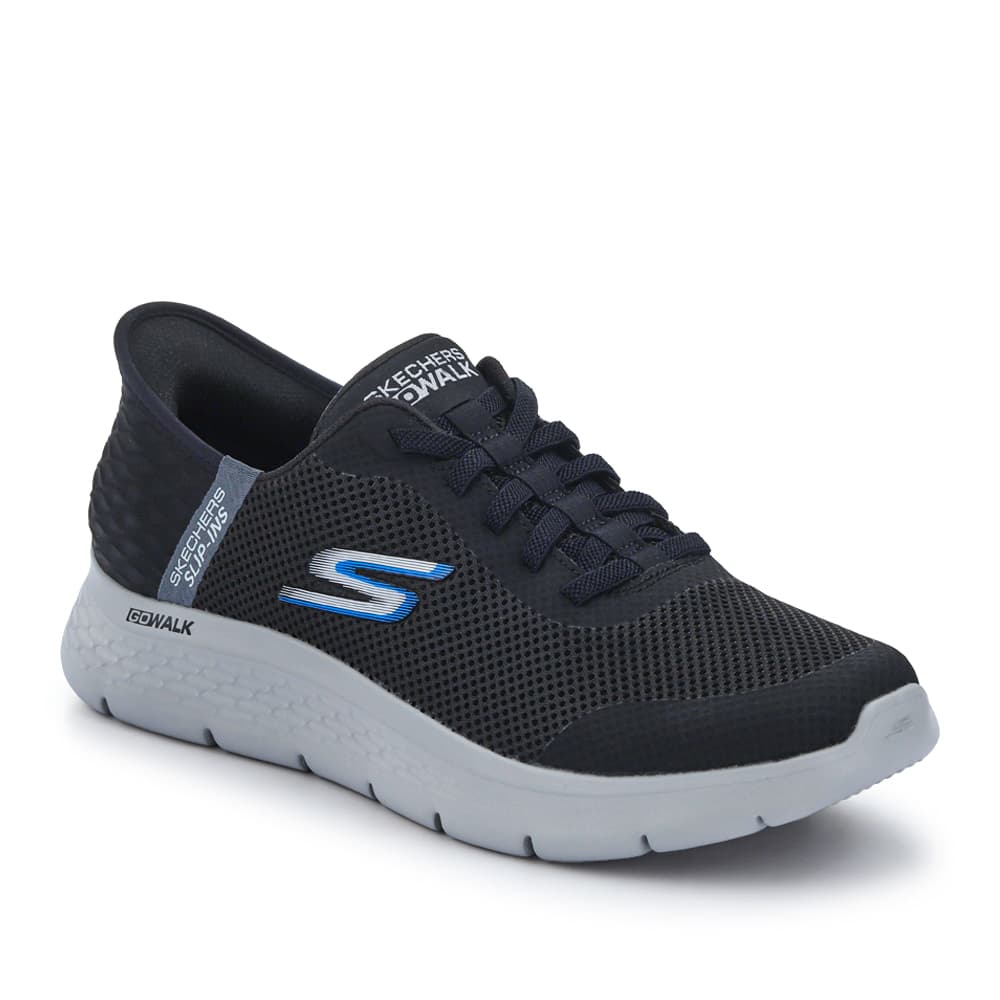
Focused images showing texture, material quality, stitching, controls, labels or finish. These communicate quality and craftsmanship in a way the hero image simply cannot at full zoom.
Infographic images
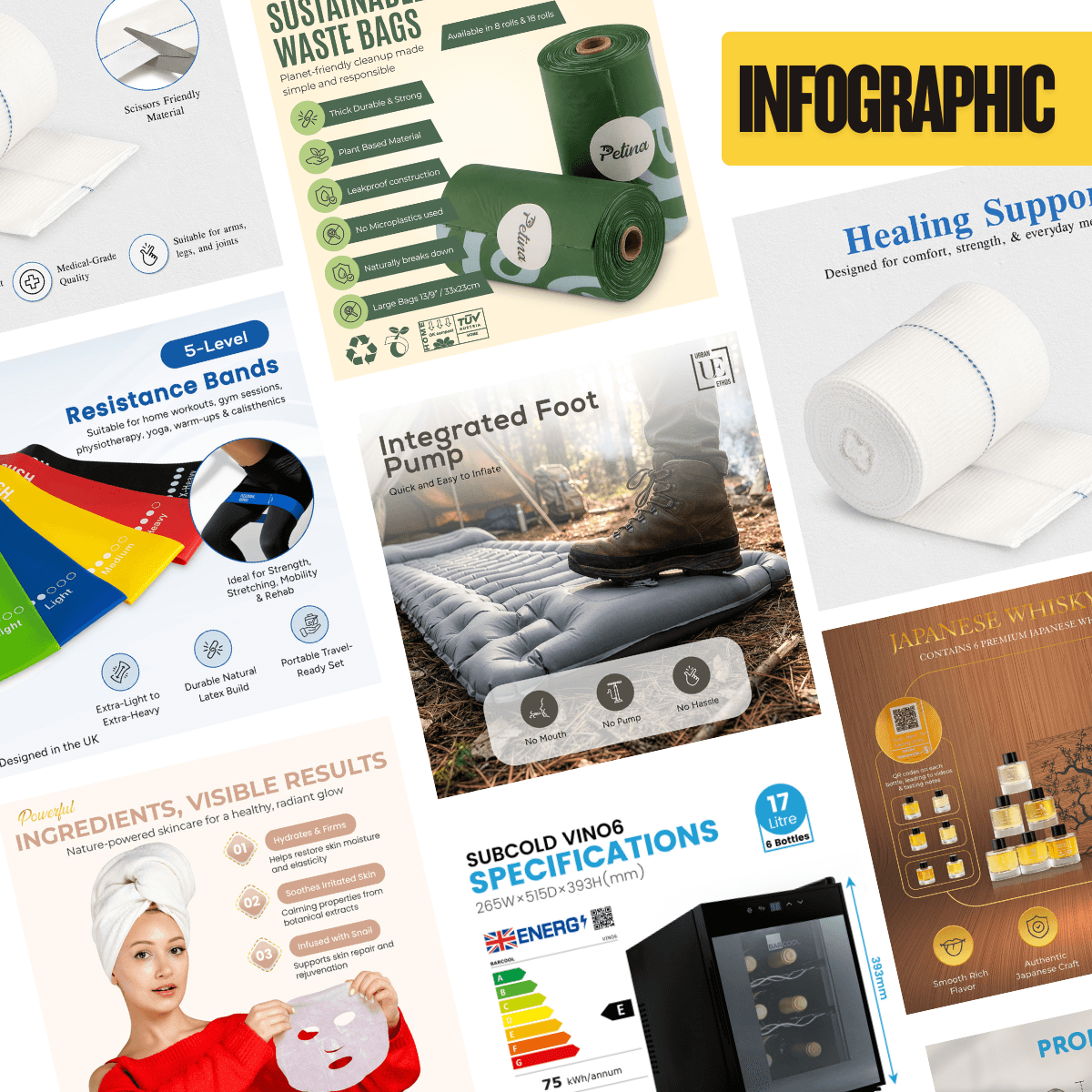
Product photos with feature callouts, dimensions, specifications or benefit highlights overlaid. These are particularly useful when the product has technical features or details that need explaining visually rather than through blocks of text.
Lifestyle or in-use images
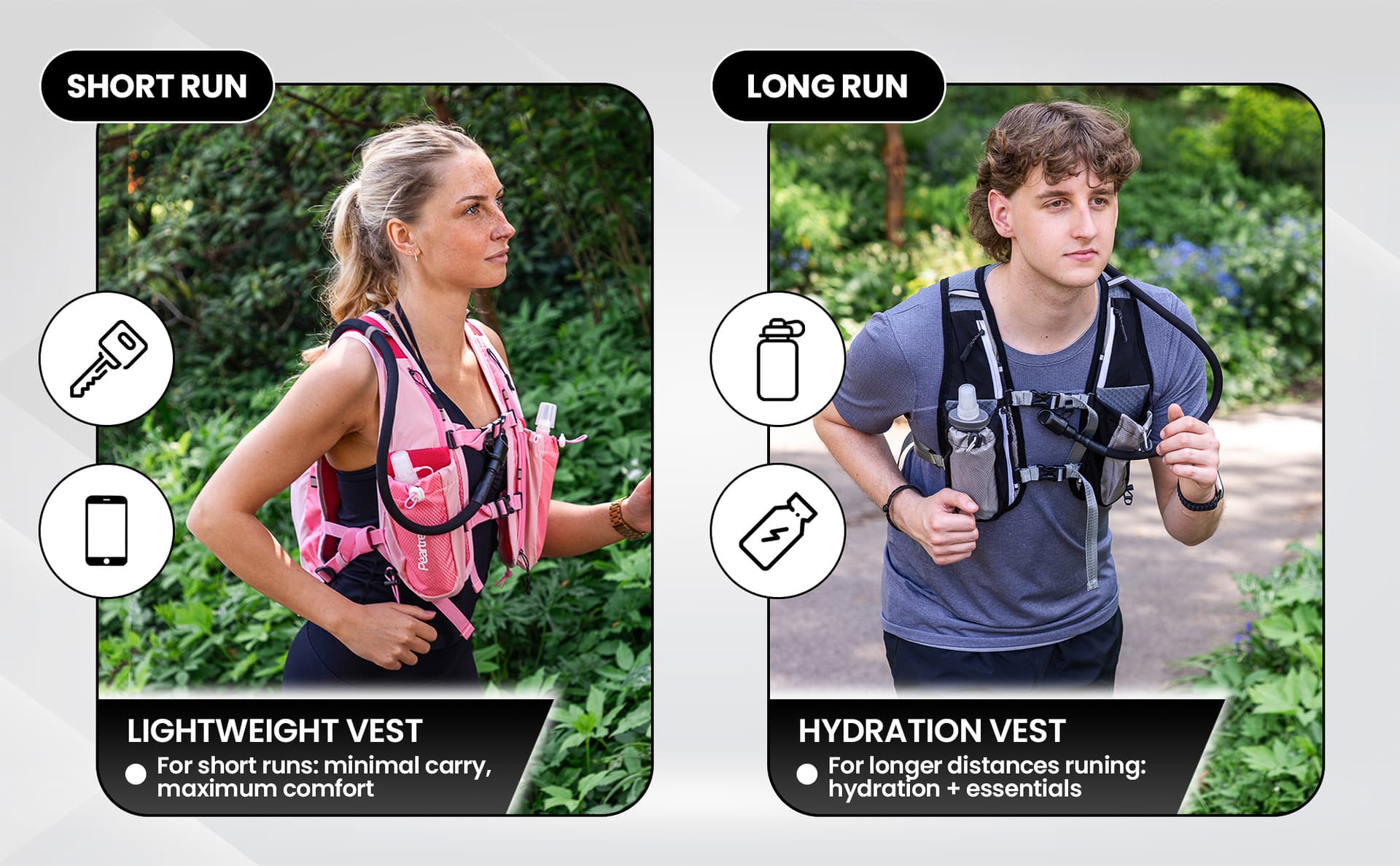
The product shown in a real or styled setting. Lifestyle images help the buyer imagine the product in their own life and provide context that a white-background shot cannot. If a full lifestyle shoot is not possible, composite imagery can achieve a similar effect.
The goal is not to tick boxes. It is to make sure each image answers a question the buyer still has. If an image does not add anything new, it is just taking up space.

Infographic example
An infographic image from our studio. Feature callouts and key details communicated visually alongside strong product photography.
What buyers are still trying to work out after the hero image
Every buyer looking at your listing is running through a set of questions, usually without even realising it. Your image set is there to answer as many of these as possible, clearly and quickly.
What does it look like from other angles?
The hero shows one view. Additional angles fill in the gaps and help the buyer build a complete mental picture.
How big is it actually?
Size is one of the most common reasons for returns. Scale references or dimension callouts solve this before the order is placed.
What is included?
Buyers want to know exactly what arrives in the box. A clear shot of everything included reduces surprises and returns.
What are the important features?
Infographic images highlight the things that set the product apart. If a feature matters, show it visually.
How is it used?
Lifestyle and in-use images answer this by showing the product in a realistic setting. They help buyers picture it in their own life.
Can I trust this product?
Clean, consistent photography signals professionalism. If the images look polished, the buyer assumes the product is too.
Every unanswered question is a reason for the buyer to hesitate. And on Amazon, hesitation usually means they scroll to the next listing. Your images are there to prevent that.
Do I need every image type straight away?
No, and this is where a lot of first-time sellers give themselves an unnecessarily hard time. You do not need a perfect nine-image set before your listing goes live. What you do need is a sensible core set that covers the basics well.
A practical starting point for most products looks something like this:
A practical starting image set
- One strong hero image on white, well lit and properly framed
- Two to three additional angles covering the back, side and top or bottom
- One or two close-up detail shots showing texture, material or key features
- One or two infographic images with feature callouts or dimensions
- One lifestyle or composite in-use image showing the product in context
That gives you five to seven images, which is a solid foundation for most product categories. You can always add more as your listing develops and you learn what your buyers respond to.
The right mix depends on what you are selling and what stage you are at. A product with lots of technical features might need more infographics. A product where aesthetics matter might lean more heavily on lifestyle shots. There is no single formula, but starting with a practical core set is almost always better than trying to do everything at once or launching with one image and hoping for the best.

From our studio
A well-planned image set answers buyer questions before they are asked.
When we plan an Amazon image set, every slot is accounted for before the product arrives in the studio. We know what the hero will show, which details need close-ups, where infographics will add value, and whether the listing needs lifestyle context or composite imagery.
That kind of planning is what separates a listing that looks professional from one that actually performs.
Detail shots add depth that the hero image cannot show alone. Texture, finish and quality come across clearly.
Common mistakes on first Amazon listings
We review a lot of first-time listings, and the same patterns come up again and again. None of these are catastrophic, but they are all easy to avoid if you know what to look out for.
- Relying on just one image. The hero gets the click, but on its own it rarely gets the sale. Leaving slots empty is like having a shop window with nothing inside.
- Showing the same thing repeatedly. Three slightly different angles of the exact same front view do not count as three useful images. Each image should add something new.
- Images that look polished but do not explain enough. Beautiful photography is great, but if none of the images answer the buyer's practical questions, the listing will not convert.
- Trying to do too much at once. Cramming five feature callouts, a dimension diagram and a lifestyle scene into one infographic creates visual noise. One clear message per image works better.
- Not thinking about what the buyer needs to see. This is the most common issue of all. The images are planned around what the seller wants to show, not what the buyer needs to understand. Flipping that perspective changes everything.

Worth knowing
Nearly one in five Amazon listings fail basic image compliance checks.
Common issues include off-white backgrounds, products not filling the frame properly, and text overlays on hero images. Getting the fundamentals right puts your listing ahead of a significant number of competitors before you even think about strategy.
What to prepare: a quick reference
| Image type | What it helps show | Essential for a first listing? |
|---|---|---|
| Hero image | The product at its clearest and most recognisable. Gets the click from search results. | Yes, mandatory |
| Additional angles | Shape, design and sides the hero image does not cover. Builds a complete mental picture. | Yes, strongly recommended |
| Detail shots | Texture, material quality, stitching, finish or controls. Communicates craftsmanship. | Yes, for most products |
| Infographics | Features, dimensions, specifications and benefits in a visual format. | Recommended, especially for technical products |
| Lifestyle image | The product in a real or styled setting. Adds context and emotional connection. | Nice to have, worth adding when budget allows |

Lifestyle example
Lifestyle imagery helps buyers connect with the product. It adds context and personality that a white-background shot cannot provide.
Before planning your Amazon images, ask
Planning checklist
- What does the buyer need to understand quickly?
- What details or features matter most for this product?
- Does the product need scale or context to make sense?
- What questions might still cause hesitation after seeing the hero image?
- Which images are essential for launch, and which can come later?
Running through these questions before a shoot saves time, money and the frustration of realising after the fact that you missed something obvious. Ask me how I know.
A former buyer's perspective
Before I worked in product photography, I spent years buying products for retail. And the thing that always stood out to me, even before I could articulate why, was not the listings with the most images or the flashiest design. It was the ones where I could understand the product quickly and feel confident about what I was getting.
That has not changed. The best Amazon listings I see today work the same way. They do not try to be the busiest or the most visually complex. They use each image to answer a real question and move the buyer one step closer to saying yes. When you get that right, the listing does not just look good. It works.
If I were launching my first product on Amazon tomorrow, I would not try to fill every slot immediately. I would start with five or six strong images that cover the essentials, watch how buyers respond, and build from there. That is almost always a better approach than waiting until everything is perfect.
A good first Amazon listing does not need every possible image. It needs the right images doing the right jobs.
Claire Fulleylove, Creative Director
What we can help with
At Photograph My Product, we work with a lot of first-time Amazon sellers. We know the process can feel overwhelming, and we know the images are often the part that causes the most hesitation. So we keep things straightforward.
We can help with clean product photography for your hero and supporting angles, detail close-ups, infographic design, lifestyle imagery, and composite visuals when a full lifestyle shoot is not practical. Everything is shot and designed as part of a planned image set, so the listing feels cohesive rather than assembled one image at a time. You can check our pricing page for a clearer idea of costs.
If you are already thinking about enhanced content below the fold, our guides to Amazon images beyond compliance and what you need for A+ Content are worth a read.
A strong first listing starts with clear, useful images
Your first Amazon listing does not need to be perfect. It needs to be clear, practical and planned around what the buyer needs to understand. A sensible image set that answers the right questions will almost always outperform a rushed one that leaves gaps, no matter how polished the hero image looks.
Start with the essentials. Get them right. Add more as you go. That is genuinely all there is to it.
Planning your first Amazon listing?
If you want help working out which images your product actually needs, we are happy to talk it through. No jargon, no pressure, just practical advice from people who do this every day. You can get in touch here or take a look at our Amazon photography services to see how we work.