0330 043 0113info@photographmyproduct.co.uk

★★★★★5.0 rating · 250+ reviews · UK studio

Client Login
Photograph My Product - Professional UK Product Photography Studio
Services
Product Types
Amazon PhotographyPricingBlogFAQ
Client LoginStart your estimateStart your estimate
Home/Blog/What Do I Need for Amazon A+ Content?

In Focus

Amazon20 March 2026• 10 min read• From our York studio

What Do I Need for Amazon A+ Content?

A practical guide to the images, modules and planning you actually need before building Amazon A+ Content. Less guesswork, more clarity.

What Do I Need for Amazon A+ Content?
Amazon logo

Amazon A+ Content guide

A+ Content lets you add richer visual content below the fold on your Amazon listing. This guide covers what it is, what you need to prepare, which modules to start with, and how to avoid the most common mistakes. Whether you are planning your first A+ page or rethinking an existing one, the goal is the same: make the product easier to understand and the buying decision easier to make.

If you have started looking into A+ Content for your Amazon listings, you have probably already hit a wall of module names, image dimensions and options that feel impossible to make sense of quickly. It is one of those areas where the information is out there, but nobody quite explains what you actually need to prepare before you start building.

The good news is that it does not need to be complicated. Most brands do perfectly well with a handful of well-chosen modules and a clear set of images. The trick is knowing what to prioritise, what to leave for later, and what not to bother with at all.

This is a practical walkthrough of what you genuinely need. Not a list of every feature Amazon offers, but the things that actually matter when you sit down to plan your content.

What Amazon A+ Content actually is

A+ Content is the enhanced section that appears further down the product detail page, below the main image gallery and bullet points. It gives you space to add branded visuals, feature breakdowns, comparison charts and lifestyle imagery that the standard listing format does not support.

The important thing to understand is that it does not replace your gallery images or your bullet points. It supports them. Your gallery and title get the click. Your A+ section answers the questions that come next.

A lot of sellers confuse the different parts of a listing, so here is a quick breakdown:

Listing gallery images

The main image set at the top of the page. Up to nine images including your hero shot, angles, detail views and infographics. This is what gets the click from search.

A+ Content

The enhanced section below the fold. Uses structured modules with images and text to explain the product in more depth. Focuses on the individual product.

Brand Story

A separate carousel section that sits above A+ Content. It is shared across all your listings and introduces your brand rather than a specific product.

Premium A+

An upgraded version with interactive modules, video and larger layouts. Not available to everyone and not essential for most brands starting out.

Who can use A+ Content

A+ Content is available to sellers enrolled in Amazon Brand Registry and certain approved brand owners. If you are a brand registered seller, you can access the standard A+ Content builder through Seller Central.

Standard A+ is usually the starting point. It gives you access to the core module types, which is more than enough for a strong product page. Premium A+ is an upgraded tier with additional layout options, but it is not the default for every seller and you do not need it to build an effective page.

What you actually need before you start

This is where most sellers either overthink things or skip the preparation entirely. Before you open the A+ Content builder, there are four things worth having ready.

Strong product images

Clean product photography is the foundation. You need images that are consistent in style, well lit, and high enough resolution to look sharp across all module sizes. That includes clean product shots, detail close-ups, and lifestyle images where they add genuine context.

A+ Content is a visual format. If the photography is not strong, the modules will not work regardless of how well the layout is planned.

Clear product selling points

Before you choose modules, be clear about what makes this product worth buying. What problem does it solve? What are the top two or three benefits? What do buyers usually hesitate about? If you can answer those questions in plain English, you have the copy direction you need.

Basic brand direction

You do not need a full brand guidelines document, but you do need a sense of your visual identity. Colours, fonts if relevant, and a feel for whether your brand should come across as premium, natural, technical, playful or minimal. This keeps the A+ page feeling intentional rather than assembled.

A realistic page plan

Decide what modules you actually need and in what order. Not every available module needs to be used. A page with four well-planned sections will outperform one with eight modules that repeat themselves or add nothing new. Sketch it out before you build.

Before you build A+ Content, make sure you have

  • Strong, consistent product images across all angles
  • Clear benefits and selling points written in plain language
  • A basic brand direction covering colours, tone and visual feel
  • A simple layout plan with the module order mapped out
  • A view on whether a comparison chart is genuinely useful for your range

What modules are usually most useful

Amazon offers a range of module types, but for most small and mid-sized brands, the following tend to do the heaviest lifting:

1

Branded header or opening image

Sets the visual tone immediately. A single strong banner image that introduces the product and brand in context.

2

Feature-led image and text modules

These pair a visual with a short explanation of a key benefit. One benefit per module keeps it focused and easy to read on mobile.

3

Comparison chart

Useful if you sell a range of related products. Helps buyers choose the right variant without leaving the page. Skip this if you only have one product.

4

Lifestyle or context image

Shows the product in a real or styled setting. Helps the buyer picture it in their life, which is something a white-background cut-out cannot do.

5

Brand Story

A carousel section introducing your brand. Worth adding if you have a clear story to tell, but not essential for every product at launch.

Using fewer modules well is almost always better than filling every available slot. Each section should answer a genuine buyer question. If it does not, leave it out.

Real A+ module examples from our studio

A practical starter A+ structure

If you are building your first A+ page and want a reliable starting point, this layout works well for most product categories:

1

One branded opening section

A banner image that sets the tone. Keep it clean and on-brand.

2

One to two feature-led image modules

Each one explains a key benefit. Use a clear product image paired with a short paragraph.

3

One lifestyle or context module

Show the product in use. This adds depth and helps buyers connect with it.

4

One comparison chart (if you have a range)

Helps buyers choose between products. Only include this if you have genuine alternatives to compare.

5

Optional Brand Story

Add this if your brand story genuinely strengthens the listing. Leave it for later if you are unsure.

This is often enough for a strong first version. You can always add modules later once you see how the page performs and where buyers might still have questions.

Amazon logo
Amazon A+ Content

What A+ modules look like in practice

These are real examples of A+ Content modules designed by our studio. Each page combines branded headers, feature blocks, comparison layouts and lifestyle imagery into a cohesive below-the-fold experience.

Modules built around product benefits

Each section answers a specific buyer question with clear visuals and concise text.

Branded headers, features and comparison charts

Banner images, feature grids, comparison layouts and lifestyle blocks all working together.

Designed as part of a complete listing system

Gallery images, infographics and A+ Content designed as one cohesive set.

Trusted by 200+ Amazon sellers and e-commerce brands across the UK

Get an A+ Content estimateSee our Amazon services
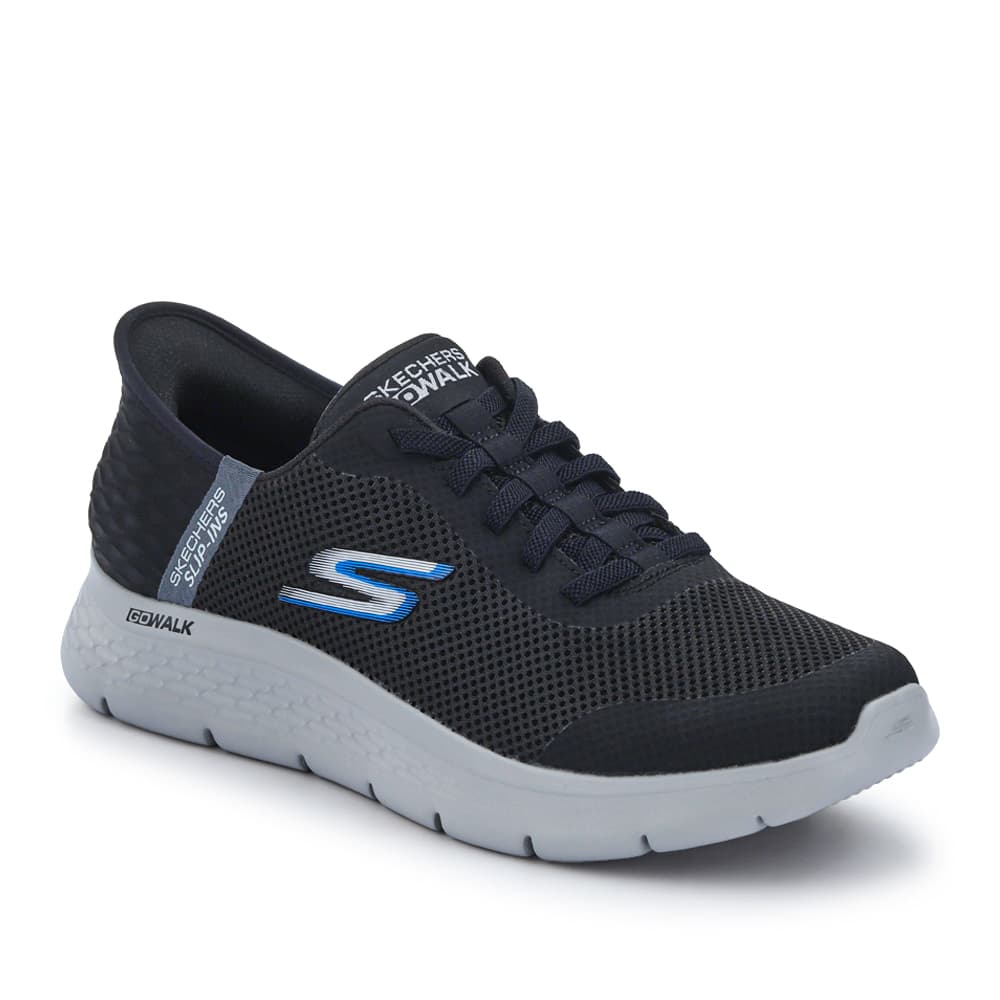
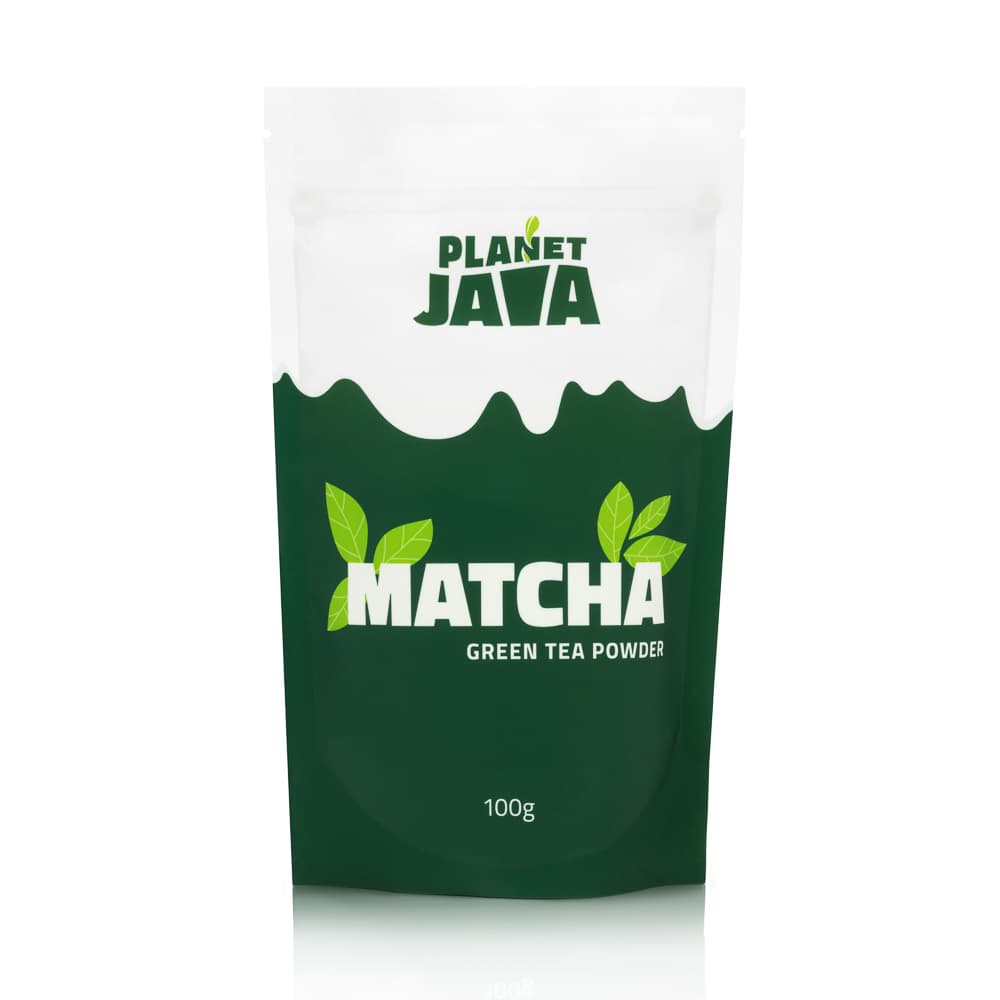
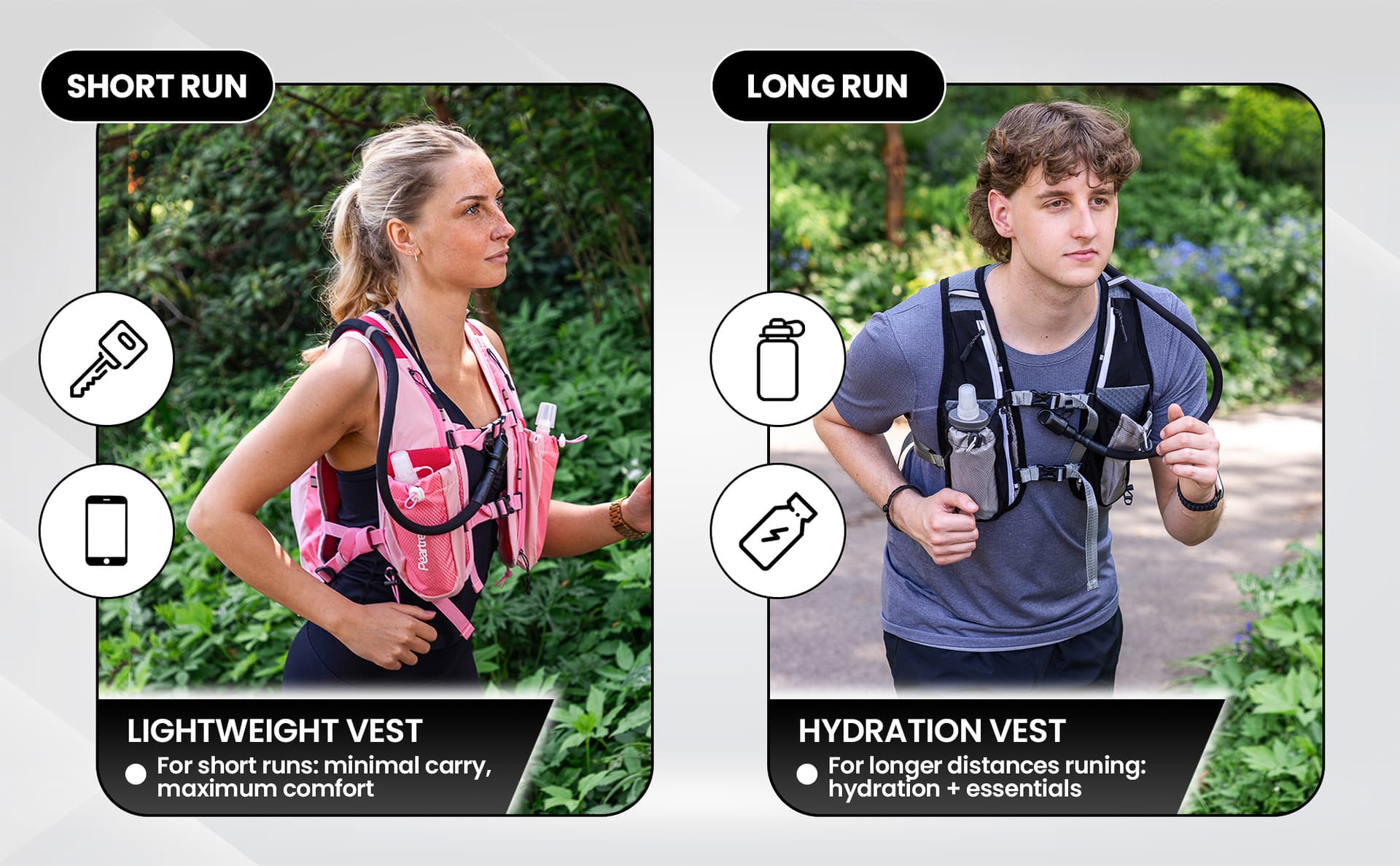
Complete Amazon A+ Content page showing branded modules, feature blocks and comparison layout
Amazon A+ Content portfolio example with lifestyle imagery and product feature modules
Amazon enhanced brand content example with comparison chart and brand story modules
Complete Amazon A+ Content page showing branded modules, feature blocks and comparison layout
Amazon A+ Content portfolio example with lifestyle imagery and product feature modules
Amazon enhanced brand content example with comparison chart and brand story modules

What kind of images work well in A+ Content

A+ Content should add visual depth that your gallery does not already provide. The most effective pages use images that serve a clear purpose rather than repeating the same product cut-out in every module.

  • Feature-led visuals that highlight a specific benefit, material or design detail with callouts or overlay text.
  • Lifestyle imagery that shows the product being used in a realistic setting, helping buyers imagine it in their own life.
  • Detail crops that focus on texture, finish or quality indicators the hero image cannot show at full zoom.
  • Infographic-style images that communicate size, specifications or comparisons visually rather than through blocks of text.
  • Brand-led visuals that create consistency across your range and make the page feel considered rather than assembled.
Amazon logo

Module tip

Each module should answer one clear question the buyer still has.

The point of A+ imagery is not to fill space. It is to answer the questions your gallery left unanswered. If the buyer can already see the product from every angle in the listing gallery, use the A+ section to show them something new: how it looks in context, how it compares to alternatives, or what makes it different from the next listing.

Amazon's own guidance repeatedly emphasises concise, mobile-friendly layouts and strong imagery over dense text. The pages that convert best tend to use fewer modules, each one focused on a single buyer concern, rather than trying to cover everything at once.

What should not go into A+ Content

Knowing what to leave out is just as important as knowing what to include. These are the issues we see most often in A+ pages that underperform or get flagged for rejection:

  1. Too much text. Large paragraphs do not read well on mobile, which is where most Amazon browsing happens. Keep copy short and let the images carry the message.
  2. Overly busy layouts. Cramming every available module type into one page creates visual noise. Buyers scroll past content that feels chaotic.
  3. Repeating gallery images. If the buyer has already seen an image above the fold, showing it again in the A+ section wastes the opportunity to add new information.
  4. Weak comparison charts. A chart where every product scores highly on every feature is not useful. If the comparison does not help the buyer choose, leave it out.
  5. Vague claims. Statements like "premium quality" or "best in class" without any supporting detail feel hollow and can trigger rejection.
  6. Content that risks rejection. Avoid pricing, promotional language, warranty claims or anything that contradicts Amazon's content policies. Keep claims specific and supportable.
Amazon A+ Content comparison module showing a school clothing range with consistent product photography

Comparison-ready imagery

Consistent product photography across a range. When comparison modules use images from the same shoot, the page looks planned and professional.

Basic A+ vs Premium A+

Standard A+ Content gives you a solid set of module types including image-and-text blocks, feature lists, comparison charts and brand story sections. For most brands, this is more than enough to build an effective product page.

Standard A+

  • Available to all Brand Registry sellers
  • Image-and-text modules, comparison charts
  • Brand Story carousel
  • Mobile-friendly module layouts
  • No additional cost to use

Premium A+

  • Not available to all sellers
  • Interactive modules and video support
  • Larger image layouts and hotspot features
  • Stronger visual impact when used well
  • Best suited for established brands with rich content

Premium A+ is worth exploring once your standard content is performing well and you have the assets to support a more immersive layout. But it is not where most brands need to start.

What to prepare: a quick reference

Asset or sectionWhy it mattersEssential or nice to have
Product photographyThe visual foundation of every module. Weak images undermine everything else.Essential
Lifestyle imageryAdds real-world context and helps buyers connect with the product.Essential for most categories
Feature-led textExplains key benefits concisely. Pairs with images in the strongest modules.Essential
Comparison chartHelps buyers choose between variants or related products in a range.Nice to have (essential if you sell a range)
Brand StoryIntroduces your brand across all listings. Builds trust and recognition.Nice to have
Premium modulesInteractive and video content for stronger visual impact.Nice to have (not available to all sellers)

A former buyer's perspective

Before I worked in product photography, I spent years buying products online for retail. And the thing that always stood out to me was not the listings with the most content, but the ones where I could understand the product quickly and feel confident about what I was getting.

The best A+ pages I come across today work the same way. They are not the busiest. They are not the ones with the most modules or the cleverest design. They are the ones that make the product easier to understand and make the buyer feel more certain about their decision.

That is the standard I would encourage any seller to aim for. Not bigger, not busier. Clearer.

A+ Content does not need to be bigger to work better. It needs to be clearer.

Claire Fulleylove, Creative Director

What we can help create for A+ Content

At Photograph My Product, we regularly create image assets designed specifically for A+ Content modules. That includes:

  • Clean, consistent product photography across your range
  • Lifestyle imagery styled to suit your brand and product category
  • Infographic-style visuals with feature callouts and specifications
  • Feature-led image assets sized for specific A+ module types
  • Comparison-friendly photography shot to match across a product range
  • Amazon-ready image systems where listing gallery, A+ Content and Brand Story all work together visually

We approach A+ imagery as part of a wider listing strategy. When your gallery images, infographics and A+ Content are all shot and designed as one set, the whole page feels more professional and more persuasive. You can see our full range of Amazon photography services or check pricing for a clearer idea of costs.

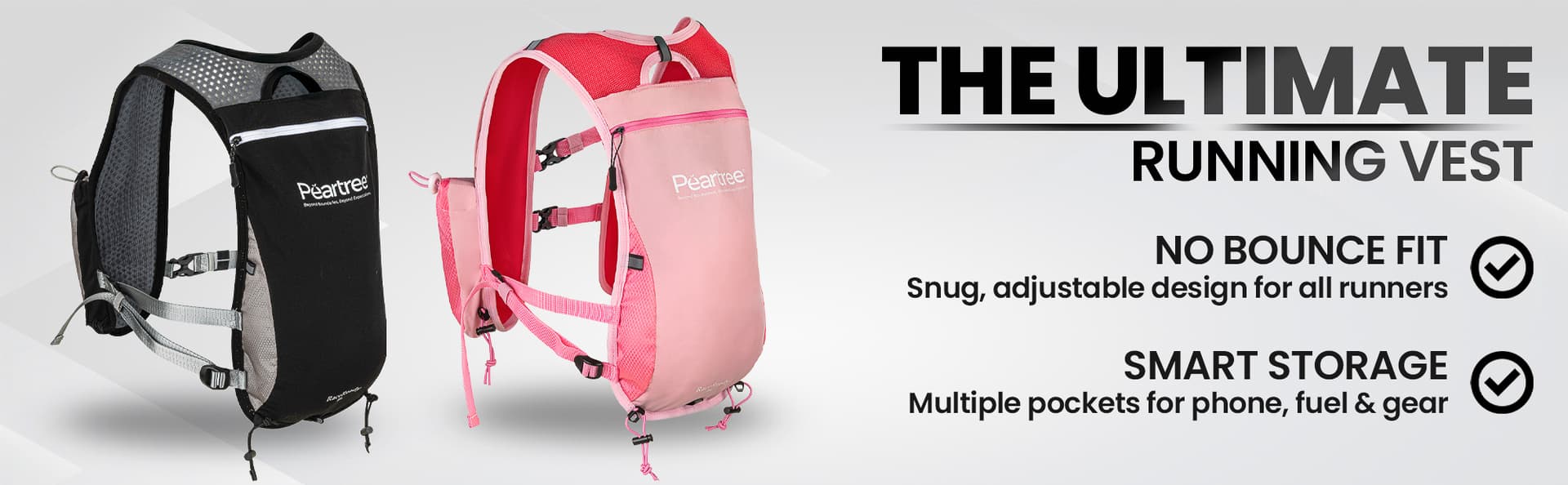
Amazon A+ Content branded banner module showing a running vest product range

Branded banner module

A branded opening banner designed for an A+ Content header. Sets the tone for the rest of the page.

A+ Content works best when it makes the page clearer

The goal is not to fill every available module or create the most visually complex page you can manage. The goal is to give the buyer the information they need, presented clearly, so they can feel confident about buying.

That means good photography, concise copy, a sensible module structure and the discipline to leave out anything that does not genuinely help. A simpler page that answers the right questions will almost always outperform a busier page that answers the wrong ones.

If you are planning A+ Content for the first time, start with the checklist above, get your images and selling points together, and build from there. You do not need to do everything at once.

Ready to plan your A+ Content?

If you want help planning the right visuals for your A+ Content without overcomplicating the process, we are happy to talk it through. You can get in touch here or take a look at our Amazon photography services to see how we work.

Frequently asked questions

What do I need for Amazon A+ Content?
You need strong product images, clear selling points, a basic brand direction (colours, tone, fonts) and a simple layout plan. Having these ready before you start building modules makes the whole process faster and more effective.
Do I need Premium A+ Content?
Not necessarily. Standard A+ Content is a strong starting point for most brands and gives you access to image-and-text modules, comparison charts and brand story sections. Premium A+ adds interactive and video features but is not automatically available to all sellers and is not essential to build an effective page.
What images work best in Amazon A+ Content?
Feature-led visuals that highlight key benefits, lifestyle imagery showing the product in use, detail crops for texture and quality, and infographic-style images that communicate specifications or comparisons. Avoid simply repeating the same gallery images you already use above the fold.
Can I use the same images from my gallery in A+ Content?
You can, but it is not ideal. A+ Content should add new depth and answer questions your gallery images do not cover. If you reuse the same cut-out product shots, the buyer sees the same information twice. Use the A+ section to show lifestyle context, feature details and comparison points instead.
What is the difference between A+ Content and Brand Story?
A+ Content appears in the product description area and uses modules such as image-and-text blocks, feature lists and comparison charts. Brand Story is a separate carousel section that sits above the A+ Content area and is shared across all your listings. Brand Story is useful for introducing your brand, while A+ Content focuses on explaining the individual product.
Should every product have a comparison chart?
Only if you have a genuine range of products that buyers might compare. A comparison chart works well when customers are choosing between sizes, models or variants. If you only have one product, a comparison chart adds little value and the space is better used for other modules.
How much text should Amazon A+ Content include?
Keep text concise. Each module should have one or two short paragraphs at most. Amazon recommends mobile-friendly layouts, and large blocks of text do not read well on smaller screens. Let the imagery do the heavy lifting and use text to support the visuals with key selling points.
Share this article

Planning a shoot?

If you already have a product list, a launch date, or even a rough brief, send it over. We can usually tell you quite quickly what is realistic, what can wait, and what will make the biggest difference first.

Share your brief

Related Articles

Amazon Images in 2026: Compliance Is Only the Starting Point
Amazon

Amazon Images in 2026: Compliance Is Only the Starting Point

Amazon A+ Content: Enhance Your Listings
Amazon

Amazon A+ Content: Enhance Your Listings

Amazon Product Photography Requirements: Image Rules Every Seller Should Know
Amazon

Amazon Product Photography Requirements: Image Rules Every Seller Should Know

Photograph My Product logo

Product photography from our York studio for brands that need clear, consistent imagery across ecommerce, Amazon, campaigns, and launch content.

0330 043 0113info@photographmyproduct.co.uk
Unit E1, Northminster Business Park
Upper Poppleton, York YO26 6QU

Services

  • Packshots
  • Amazon Photography
  • Lifestyle
  • Infographics
  • Ghost Mannequin
  • Digital Composite
  • Hero Images
  • eCommerce Packages
  • Flat Lay
  • Clothing

Categories

  • Jewellery
  • Beauty
  • Food & Drink
  • Technology
  • Watches
  • Bags
  • Shoes
  • Automotive
  • Health & Wellness
  • Hardware

Company

  • Product Photography UK
  • Pricing
  • Blog
  • FAQ
  • About Us
  • Terms
  • Privacy

Stay Updated

Occasional advice on planning shoots, improving listings, and getting more from your imagery.

★5.0 Google
50+ Reviews

Have a project in mind?

Send over your product list or rough brief and we will point you in the right direction.

Share your brief

© 2026 Photograph My Product Ltd.

•

VAT: GB307142144

•

Company No: 11588835

Open:Mon-Fri 9am - 5pm